

Google /Veo 3.1
veo-3.1Text to video
Veo 3.1 makes video clips on NOLGIA from 112 credits per 5s clip, available on Pro and up.
- from 112 credits per 5s clip
- Pro and up
- Reference images
- Native audio
Input
Result
Idle
- Price
- 112 credits per 5s clip
- Plan
- Pro and up
- Resolution
- 720p, 1080p
- Aspect ratios
- 16:9, 9:16
What it costs
| Quality | Credits | USD |
|---|---|---|
| 720pDefault | 112 | $7.84 |
| 1080p | 112 | $7.84 |
The price covers a 5 second clip. Longer clips cost proportionally more.
Dollar figures use the 100-credit top-up price, $0.07 per credit.
Related models
Alibaba
Wan 3.0
from 14 credits per 5s clip
Alibaba
Wan 3.0 Prime
from 19 credits per 5s clip
MiniMax
Hailuo 3
from 37 credits per 5s clip
ByteDance
Seedance 2.5
from 26 credits per 5s clip
MiniMax
H3 Max
from 14 credits per 5s clip
Gemini Omni 1.1 Flash
from 50 credits per 5s clip
ByteDance
Seedance 2.0 Pro
from 43 credits per 5s clip
ByteDance
Seedance 2.0 Fast
from 15 credits per 5s clip
Compared on NOLGIA
Veo 3.1 side by side with another model on the same inputs, from tests we ran ourselves.

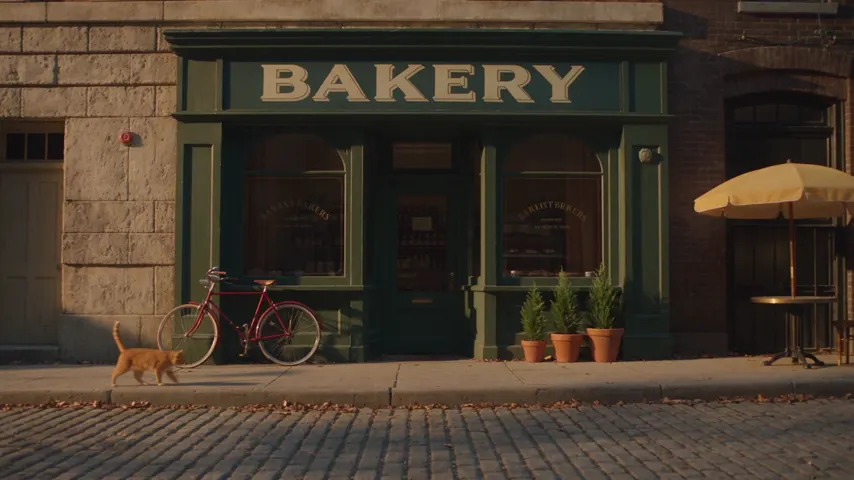 Veo 3.1 vs Seedance 2.5On our scored street scene both passed all eighteen checks. The differences were the camera, which Veo 3.1 moved far more than a slow push in, the render time, where Veo 3.1 came back sooner, and what each takes: Veo 3.1 renders 4, 6 or 8 second clips with speech, Seedance 2.5 runs up to 30 seconds and edits your own clips.Tested September 23, 2026
 Veo 3.1 vs Kling 3.0On our scored street scene, Veo 3.1 passed all eighteen checks and Kling 3.0 passed fifteen: in both runs it put a person inside a shop the prompt said was empty. Veo 3.1 also came back sooner; Kling 3.0 offers a 4K tier and clips up to 15 seconds.Tested September 23, 2026
FAQ
Questions about Veo 3.1.
- How much does Veo 3.1 cost on NOLGIA?
- Veo 3.1 costs 112 credits per 5s clip at the default 720p tier, about $7.84 at the top-up rate. Other tiers: 1080p 112 credits.
- Which plan do I need?
- Pro and up. Topping up credits does not unlock it on a lower plan.
- Which resolutions are available?
- 720p (the default) and 1080p.
- Which aspect ratios are available?
- Veo 3.1 renders 16:9 and 9:16.
- How is a longer clip priced?
- The price covers a 5 second clip. Longer clips cost proportionally more.
- Can I use Veo 3.1 from the CLI or an agent?
- Yes. The command on this page runs it from a terminal, and the NOLGIA MCP server gives Claude Code and other MCP clients the same model.